Tablet or phone as the terminal
Use a device you already have. Kiosk mode opens in the browser and lets several employees clock in on the same device.
They can also clock in by scanning a QR code with their phone. You see who is in and keep the working-time record.
Available in English and Spanish, including the full admin panel. Each user picks their own language in settings. Support in English by email: info@workrono.com.
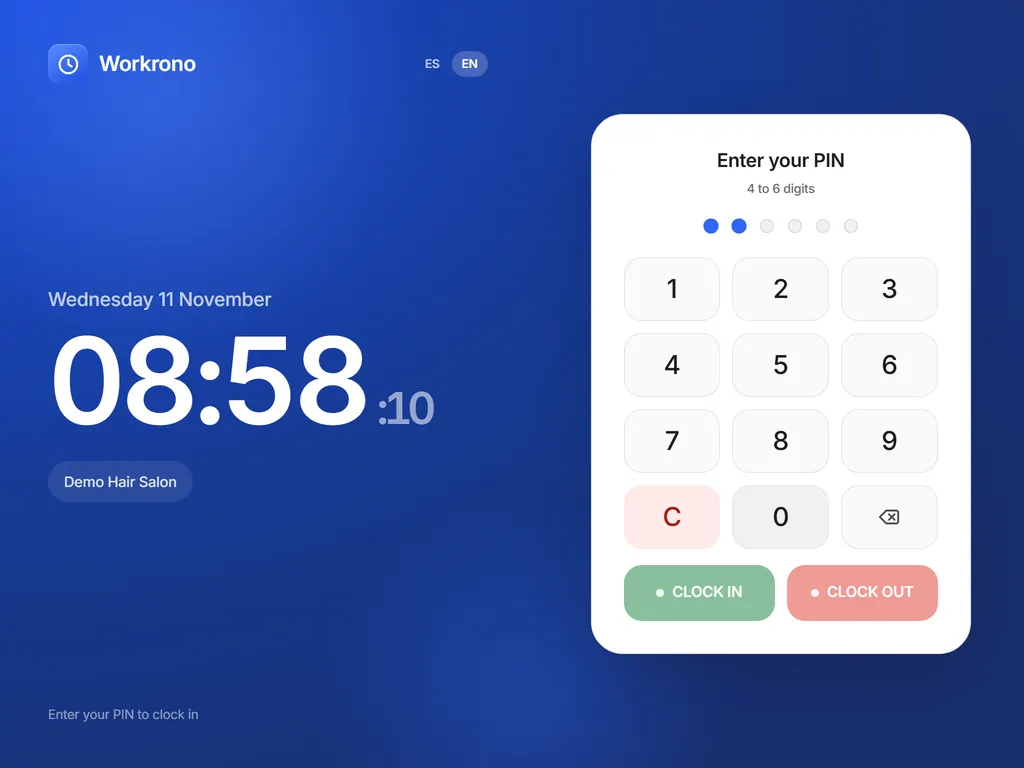
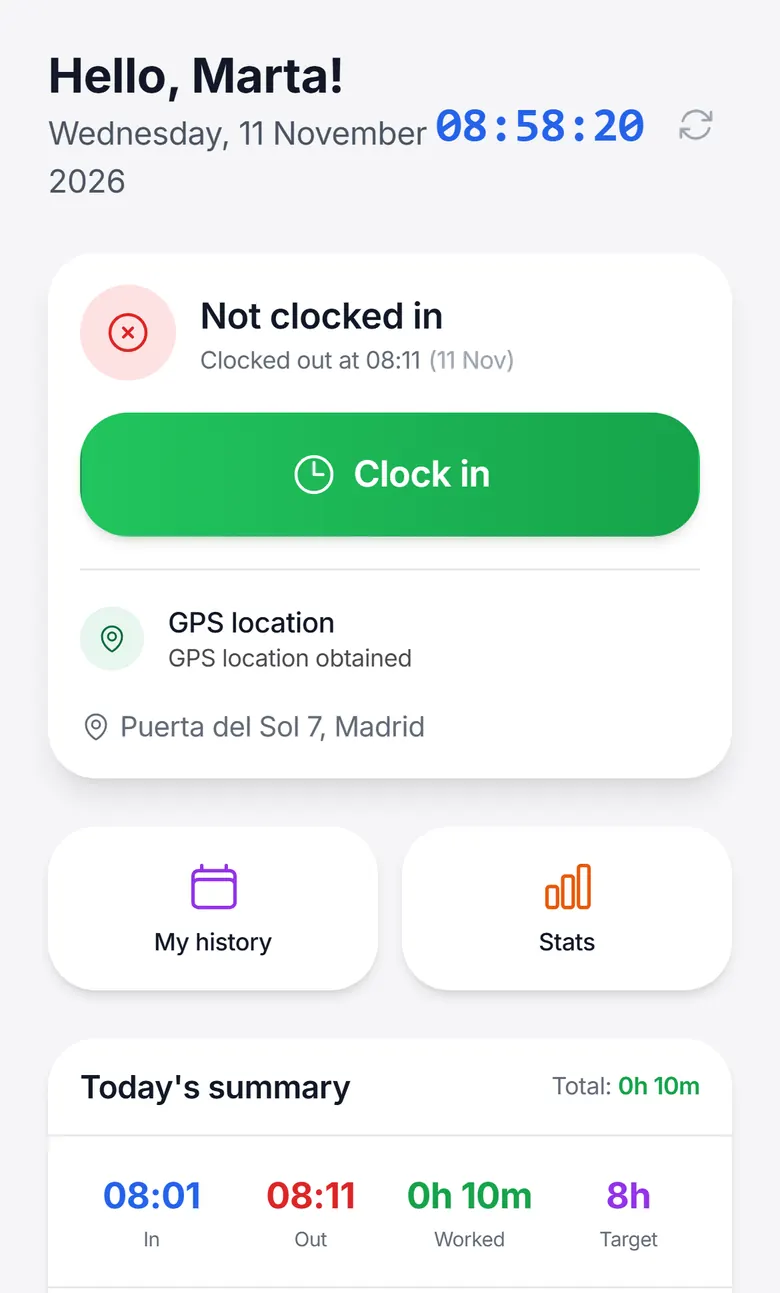
Real product screens in English, with demonstration data.
Why a kiosk
Use a device you already have. Kiosk mode opens in the browser and lets several employees clock in on the same device.
Each person has their own PIN. When they clock in, the entry or exit is recorded with date and time.
Print the QR code for each workplace. Employees scan it with the phone camera and clock in instantly.
Monthly working-time report as PDF on every plan, Excel or CSV export from Esencial. 4-year history from Esencial.
If your employees do not always use their phone, or you prefer a fixed point, the PIN kiosk is the simplest option: a tablet at the entrance and each worker clocks in with their personal code. It is included in every plan. More about the phone option in the employee clock-in app.
Create the account, add the team, open the kiosk on the tablet.
With your email, no card. You start on the free plan.
Add your employees and each one gets a personal PIN; you can also generate the QR code for your workplace.
Each person clocks in from their phone or on the tablet at the entrance. You see who is in.
No lock-in. Cancel from your dashboard whenever you like.
To get started
€0/mo
No credit card
€0/mo
No credit card
Up to 10 people, with 4 years of history
€14.90+ VAT /mo
Billed monthly
€12.67+ VAT /mo
Billed €152 + VAT per year
30 days free, no card. If you do not add a payment method, you go back to Starter at no cost. New accounts start with 30 days of Equipo free, no card.
For small companies
€29+ VAT /mo
Billed monthly
€25+ VAT /mo
Billed €295 + VAT per year
30 days free, no card. If you do not add a payment method, you go back to Starter at no cost. New accounts start with 30 days of Equipo free, no card.
For growing companies
€59+ VAT /mo
Billed monthly
€50+ VAT /mo
Billed €600 + VAT per year
All plans include the kiosk, phone and QR clock-in. Prices in euros, plus VAT where applicable, per tier (not per user). The account manager does not count as an employee. Beyond 75 employees there is a custom plan: contact us.
A tablet or phone with an internet connection and a browser. You open the Workrono kiosk mode and each employee clocks in with their personal PIN. There is nothing to install from an app store.
You can print the QR code of your workplace: each employee scans it with the camera and clocks in. You can combine QR and kiosk in the same company.
No. The PIN kiosk and QR clock-in are included in every plan, also the free one (up to 3 employees).
No. Workrono does not use biometrics: employees identify themselves with their PIN or their user account.
Starter is free up to 3 employees, no card. Esencial costs €14.90 + VAT per month (up to 10 employees), Equipo €29 + VAT per month (up to 30) and Pro €59 + VAT per month (up to 75). Esencial and Equipo can be tried free for 30 days, no card.
Yes. The kiosk screen (a numeric PIN keypad and In/Out buttons) is available in English, like the full admin panel, and each user can choose their own language in settings. We answer support emails in English at info@workrono.com.
Create your free account and start recording working time today. No card, nothing to install.
Free up to 3 employees · No lock-in · Available in English and Spanish, with a per-user language setting